
How Every Profession Uses Artificial Intelligence Daily — Real-World Cases, Workflows, and Secrets from Those Who Have Figured It Out
Continuation of the Complete Guide to AI in 2026
AI
Salamon & Salamon
5/17/202612 min read
Executive Summary
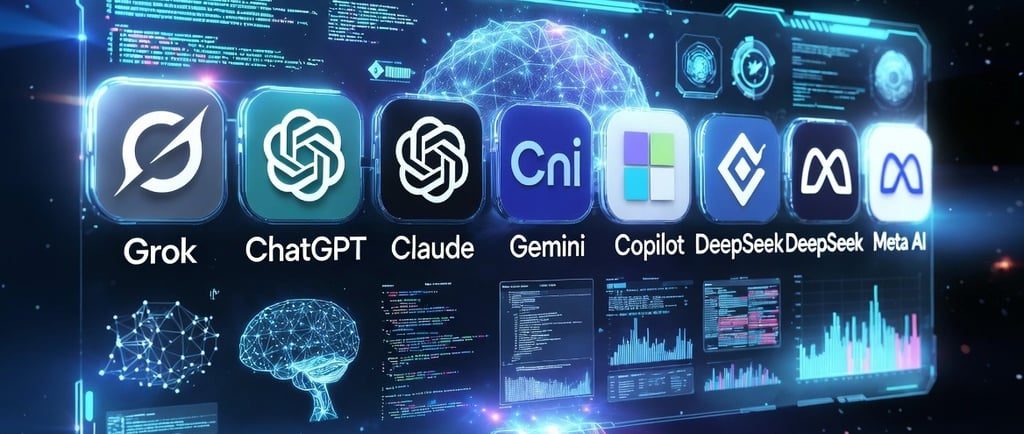
In the second installment of the "AI in 2026" series, we shift from theoretical comparison to practical application. This guide dissects how leading artificial intelligence models—including ChatGPT, Claude, Grok, Gemini, Copilot, DeepSeek, and Perplexity—are being integrated into high-stakes professional workflows. By examining real-world use cases across sectors such as medicine, law, education, journalism, creative arts, entrepreneurship, and software development, the article illustrates that the true value of AI lies in its ability to offload cognitive drudgery, allowing professionals to focus on high-value synthesis and human-centric judgment. The guide concludes with a critical assessment of AI limitations, emphasizing that while these tools act as powerful force multipliers, human accountability remains the immutable constant in every professional domain.
Introduction
In our first article, we mapped the AI landscape, defining the strengths and constraints of the leading models available in 2026. Yet, a fundamental question remained: in the messy, high-pressure reality of daily work, how are these tools actually being wielded? We are moving past the technical specifications to explore the "real-world" adoption of AI—the doctor streamlining patient documentation, the lawyer deconstructing complex contracts, and the educator building dynamic syllabi. This article serves as a manual for the "power user," detailing concrete use cases, providing strategic tips, and maintaining a transparent dialogue regarding where these systems still fail. Whether you are an established professional or an ambitious student, this guide is designed to help you build your own "AI stack" and transform your daily output.
Why This Article Exists
In our first article, we introduced the market's leading AIs: ChatGPT, Claude, Grok, Gemini, Copilot, DeepSeek, Meta AI, and Perplexity. We discussed what each does best, where they fall short, and who they are for.
But one question remained unanswered: in practice, how are people actually using all of this?
This article answers exactly that. We are stepping away from technical specifications and diving into the real world—the world of the doctor using AI between patient consultations, the teacher preparing lessons with Claude's help, and the small business owner who discovered they have a marketing assistant available 24 hours a day.
Whether you are an established professional, a college student, or someone simply curious about how the world is shifting, you will find concrete use cases, practical tips, and the honesty to call out where AI still fails.
Let’s break it down by profession.
Doctors and Healthcare Professionals
The Daily Challenge
Medical professionals face a cruel paradox: the more qualified they are, the more documentation they must produce. Medical charts, diagnostic reports, insurance paperwork, and procedure authorization requests devour hours that could otherwise be spent with patients.
AI does not replace clinical diagnosis. However, it can transform everything that happens before and after the consultation.
Real-World Use Cases
Medical Literature Summaries: A general practitioner who needs to stay updated on a new medication does not have the time to read a 40-page drug monograph and 10 clinical trials. With Claude or Perplexity, they can ask: "Summarize the key evidence regarding semaglutide use in patients with type 2 insulin resistance, including relevant contraindications." The result is a structured summary delivered in minutes, complete with citations to verify the original source.
Drafting Reports and Summaries: Many doctors use a simple workflow: they dictate notes by voice (using a smartphone or transcription app), drop the raw text into ChatGPT or Claude, and ask it to format it into a formal medical report using the correct terminology. The doctor then reviews and signs it. Writing time drops from 20 minutes to just 3.
Patient Explanations: A complex diagnosis needs to be explained in terms the patient can actually understand. Asking ChatGPT to "rewrite this explanation of hypertension in simple terms for someone without a medical background" saves time and improves communication.
Crucial Warning: No AI should ever be used for direct diagnosis or as a substitute for professional clinical judgment. The use cases above are strictly for administrative and communication support—not medical decision-making.
Which AI to Use?
Claude: Best for analyzing long documents (protocols, extensive drug monographs).
Perplexity: Best for quick research with cited sources.
ChatGPT: Best for rewriting and adapting language.
Lawyers and Legal Professionals
The Burden of Endless Contracts
A junior associate spends a massive portion of their day reading contracts, hunting for problematic clauses, comparing document versions, and drafting repetitive legal briefs. AI will not go to court in their place—but it can handle a lot of the preliminary heavy lifting.
Real-World Use Cases
Contract Review: Lawyers frequently upload dozens of contract pages to Claude (leveraging its massive context window) with the prompt: "Identify clauses that could be unfavorable to the hiring party, focusing specifically on penalties, jurisdiction for disputes, and unilateral termination." The output is not a definitive legal opinion; it is a targeted list of red flags for the lawyer to analyze using their expertise.
Initial Case Law Research: Using Perplexity or Claude with web access allows lawyers to conduct an initial sweep for relevant rulings on a specific topic. While this does not replace specialized legal databases, it serves as a solid starting point to guide the research.
Drafting and Templates: Drafting an initial service agreement based on specific parameters—value, timeline, scope of work, and parties involved—is something ChatGPT or Claude handles remarkably well. The lawyer still needs to review everything, but they start from a much more advanced baseline.
Case Summaries: Case files spanning hundreds of pages can be condensed into essential points by uploading the PDF and prompting: "Summarize the core arguments of each party, the rulings already issued, and the outstanding issues."
Which AI to Use?
Claude: Deep analysis of lengthy legal documents.
ChatGPT: Drafting boilerplate templates and legal text.
Perplexity: Preliminary research with source citations.
Teachers and Educators
The Overburdened Educator
Preparing lesson plans, creating assessments, grading essays, differentiating content for various learning levels, and communicating with parents—a teacher’s workload extends far beyond the classroom. Few professionals have as little spare time as they do.
Real-World Use Cases
Creating Lesson Plans: A teacher can outline the pedagogical objective, age group, and available time, then ask ChatGPT or Claude for a complete lesson plan—including an introduction, core activities, hands-on practice, and an assessment strategy. What used to take an hour is ready in 10 minutes, leaving the teacher to simply personalize it for their classroom.
Leveling Content: "Explain the concept of photosynthesis in three ways: for a 5th grader, a 9th grader, and a high schooler." This ability to rewrite the same core concept across multiple levels of complexity is incredibly useful in diverse classrooms.
Generating Exercises and Quizzes: Generating 10 multiple-choice questions about the French Revolution, complete with an answer key and explanations for why each incorrect option is wrong, is a breeze for any major AI. A teacher who used to spend 40 minutes on this now spends 5 minutes reviewing the output.
Essay Feedback: Language and composition teachers can use AI to generate an initial, structured critique on formal aspects—such as cohesion, coherence, and vocabulary choice—before stepping in to add the human touch regarding creativity and content depth.
Building Rubrics: Defining clear, objective grading criteria is an analytical task that AI helps structure and format rapidly.
Which AI to Use?
ChatGPT: General versatility across the entire educational workflow.
Claude: Depth in text analysis and detailed feedback.
Gemini: Seamless integration with Google Classroom and Google Workspace tools.
Journalists and Communicators
The Pressure of Real-Time News
Journalism and speed have always been intertwined, but the pressure to publish rapidly has never been higher. AI will not investigate the news, conduct the interviews, or guarantee the factual truth of information. However, it can significantly accelerate everything that happens afterward.
Real-World Use Cases
Interview Transcription and Summarization: Recording an interview and using AI to transcribe it (via tools like OpenAI’s Whisper, integrated into ChatGPT) and then summarizing the core points turns hours of tedious work into minutes.
Contextual Research: Before diving into a complex topic, asking Perplexity (with source citations) for historical context, key statistics, and expert stances gives the journalist a solid foundation before they start their actual reporting.
First Drafts: Many journalists use AI to generate an initial rough draft based on their raw reporting notes. This draft is never meant for direct publication; it serves as a scaffolding upon which the journalist writes their own piece.
Auxiliary Fact-Checking: Perplexity is exceptionally useful here because it displays its sources. Verifying whether a specific claim holds up against reliable sources becomes much faster—though final editorial responsibility always remains with the journalist.
SEO and Alternative Headlines: For digital journalism, generating 5 variations of a headline to test different angles of engagement is a task ChatGPT executes in seconds.
Which AI to Use?
Perplexity: Research with source verification (essential for journalism).
ChatGPT: Versatility in drafting and stylistic adjustments.
Claude: Analyzing long-form documents and background text.
Designers and Creatives
Augmented Creativity, Not Substituted
There is a legitimate fear in the creative community: "Will AI steal my job?" The honest answer is that it is changing the job—just as every technology has before it. The designer who uses AI effectively holds a major advantage over the one who does not. High-level creative work—aesthetic judgment, art direction, and conceptualization—remains deeply human.
Real-World Use Cases
Briefings and Concept Exploration: Before kicking off a project, using ChatGPT or Claude to explore concepts, cultural references, and creative directions helps organize thoughts: "I am designing the visual identity for a mental health clinic tailored to young adults. What creative directions do you suggest? Explore 3 different approaches."
Copywriting and Supporting Text: Designers often need to write supporting copy—product descriptions, text for mockups, or rationale for client presentations. AI speeds up this phase, freeing up creative energy for the visual execution.
Generating Reference Images: Tools like DALL·E (built into ChatGPT) and Midjourney generate reference images and mood boards rapidly. They do not replace final design execution, but they vastly accelerate client alignment.
Project Presentations: Using Claude or ChatGPT to help structure and write the narrative for a client presentation—justifying creative choices persuasively—is a sophisticated and increasingly common workflow.
Which AI to Use?
ChatGPT with DALL·E: Image generation and all-around creative flexibility.
Claude: Conceptual depth and writing polished presentation narratives.
Grok: Unconventional perspectives and real-time trend tracking.
Entrepreneurs and Small Businesses
The Jack-of-All-Trades Founder
Small business owners wear every hat: they are the CEO, the marketing department, customer support, finance, and operations. For this profile, AI is perhaps the most democratizing tool to emerge in decades.
Real-World Use Cases
Content Marketing: Crafting an Instagram content strategy, writing 30 days of captions, generating relevant hashtags, and repurposing the same content for multiple platforms—tasks that used to take days are handled by ChatGPT or Claude in hours.
Customer Service: Building a comprehensive FAQ page, drafting WhatsApp support scripts, and setting up automated replies for frequently asked questions are tasks that AI accelerates dramatically.
Competitor Analysis: Asking Perplexity to map out competitors in a specific niche—their value propositions, apparent pricing strategies, strengths, and weaknesses—provides founders with an overview that would otherwise require hours of manual searching.
Business Plans and Pitches: For entrepreneurs seeking funding, using Claude to structure a business plan or refine a pitch deck is a path many have already taken. The AI organizes information, challenges assumptions, and suggests frameworks. The strategic substance, however, still comes from the founder.
Formal Communication: Drafting emails to suppliers, commercial proposals for large clients, or formal complaints—situations where tone makes all the difference—is an area where ChatGPT shines.
Which AI to Use?
ChatGPT: Marketing, messaging, and day-to-day versatility.
Claude: Strategic analysis and managing complex business documents.
Copilot: Ideal if the business is already built on Microsoft 365.
Perplexity: Market research and competitive intelligence.
Software Developers and Programmers
The Profession That Changed the Most
If there is one field where AI has had an immediate, profound impact, it is software development. Not because it has replaced programmers, but because it has exponentially multiplied what a single developer can produce on their own.
Real-World Use Cases
Code Generation and Code Review: DeepSeek, Claude, and ChatGPT (leveraging models like GPT-4o or o3) excel at generating functional code from natural language descriptions. Senior developers use AI to automate boilerplates and repetitive parts, freeing up time to focus on system architecture and complex logic.
Debugging: Pasting an error stack trace alongside the relevant snippet of code and asking "What is causing this error and how do I fix it?" is one of the simplest yet most powerful workflows. In many cases, the AI pinpoints the bug in seconds.
Documentation: Generating technical documentation straight from code—explaining what each function does, what parameters it accepts, and what it returns—is a chore developers typically dread, but AI handles flawlessly.
Security Reviews: Asking Claude to review a code snippet for common vulnerabilities (like SQL injections, XSS, or exposed credentials) adds a solid layer of defense that catches obvious mistakes early, even if it doesn't replace a formal security audit.
Accelerated Learning: A developer learning a new language or framework can use AI as a 24/7 personal tutor—asking hyper-specific questions, requesting code examples, and seeking breakdowns of concepts that might be poorly explained in official docs.
Which AI to Use?
Claude: Deep code analysis and system architecture reasoning.
DeepSeek: Outstanding cost-benefit performance for technical and mathematical tasks.
ChatGPT (o3): Advanced reasoning for complex programmatic problem-solving.
Grok: Unconventional problem-solving and logic checks.
College Students
Learning to Use It, Not Depending on It
This is perhaps the most nuanced use case of all. Using AI to learn more and learn better is incredibly powerful. Using it to replace your own learning process is a shortcut that ultimately hurts the student. The distinction matters.
Real-World Use Cases
Tailored Explanations: A statistics concept that a textbook explains in a dense, academic way can be rephrased by AI in ten different ways until it clicks: "Explain standard deviation as if I’ve never taken a math class"—followed by: "Now give me a practical example using election poll results."
Reviewing Academic Papers: Asking Claude to critique an academic paper—identifying weak arguments, logical gaps, or confusing passages—is entirely different from asking it to write the paper for you. The first builds your critical thinking; the second atrophies it.
Exam Prep: "Create 20 multiple-choice questions about the Industrial Revolution at an undergraduate level, with an answer key and rationales." Solving those questions before looking at the answers turns the AI into a private examiner.
Exploratory Research: To get a grasp on the state of the art of a topic before diving into scientific journals, Perplexity (with sources) offers an honest, reliable entry point that students can later verify through primary literature.
Which AI to Use?
Claude: Deep conceptual breakdowns and critical text reviews.
Perplexity: Initial research backed by verifiable sources.
ChatGPT: All-around versatility and interactive study sessions.
What All These Professions Have in Common
Looking closely at these use cases, a few clear patterns emerge:
AI accelerates background tasks, freeing up energy for high-value work. The doctor spends less time on charts and more time with the patient. The lawyer spends less time on the first boilerplate draft and more on case strategy. The teacher spends less time writing worksheets and more time engaging with students.
The quality of the prompt dictates the quality of the response. Power users of AI are, above all, masters of phrasing precise instructions. Asking it to "write an article" yields a weak result. Prompting it to "write a 300-word Instagram post for an artisanal coffee shop in Chicago, using an informal and warm tone, focusing on the launch of an Ethiopian single-origin coffee, and including a call to action for reservations" is highly effective.
Nobody uses just one AI. Sophisticated users build a stack: Claude for deep analysis, Perplexity for research, ChatGPT for versatility and creative brainstorming, and DeepSeek for coding. They choose the right tool for the specific moment.
The final responsibility remains strictly human. AI makes mistakes. Sometimes it hallucinates with absolute confidence. The doctor still needs to validate, the lawyer still needs to review, and the journalist still needs to fact-check. AI amplifies capability—it does not transfer accountability.
What Still Doesn't Work Well
Honesty is a core part of this guide. There are real limitations you must keep in mind:
Hallucinations persist. Every major AI model still invents facts out of thin air, especially when pushed beyond its knowledge base. Always cross-check specific factual claims—dates, names, and statistics.
Highly specialized tasks hit a ceiling. AI is outstanding at general knowledge and reasonably competent at specific topics. However, in highly specialized niches (such as case law for an obscure legal field, a rare clinical protocol, or a brand-new programming framework), performance drops noticeably.
Genuinely original creativity is still human. AI is incredibly good at recombining, synthesizing, and formatting. But the truly novel idea, the perspective no one has ever thought of, and the paradigm-shifting insight still come from human minds.
Privacy requires serious caution. Any information fed into an AI via consumer channels can, in theory, be used to train future models. Sensitive data regarding patients, clients, or confidential litigation should never be shared with public AIs without checking enterprise data privacy policies and terms of service.
Conclusion
In 2026, knowing how to leverage AI effectively is no longer a technical luxury; it is a fundamental professional skill, akin to the mastery of search engines or spreadsheets in decades past. The ultimate promise of this technology is not to replace the professional, but to enable the average practitioner to achieve what once required exceptional effort, and to empower the expert to reach heights previously unattainable. As we have seen, the winning strategy is rarely a reliance on a single tool, but the construction of a diversified stack tailored to your specific cognitive bottlenecks. Remember: the prompt dictates the quality of the response, and human judgment remains the final, irreplaceable filter for accuracy and ethics. As we move forward, continue to test, experiment, and refine your processes. The learning curve is short, and the professional returns are immediate.
The next article in this series will explore a topic that many fear and few truly understand: AI Agents—systems that don’t just answer questions, but take autonomous actions across the digital landscape. We will look at what they are, what they can already do, and what this means for our near future. Until then: test, experiment, make mistakes, and adjust. The learning curve is short, and the returns are immediate.
Bibliography
Anthropic Research. (2026). Human-AI Collaboration: Case Studies in Professional Productivity.
DeepSeek AI. (2026). Efficiency in Technical Coding and Mathematical Reasoning.
OpenAI. (2026). The Evolution of Multimodal Agentic Workflows.
Perplexity AI. (2026). Source-Driven Research in the Age of Hallucination.
World Economic Forum. (2026). The Future of Jobs: AI as a Cognitive Multiplier. WEF Publishing.
Salamon & Salamon · AI in 2026 Series This article is Part 2 of an ongoing series. Read Part 1: "AI in 2026: The Complete Guide to the Leading Artificial Intelligences"
Contact
Contact us for questions or suggestions
contact@turingvision.com
fone: + 55 54 99122 0659
© 2026. All rights reserved. https://turingsvision.com/privacy-policy